
Enables the ability to provide website customers with the ability to check Value Card balances online. A plug-in has been created to render the online balance query.
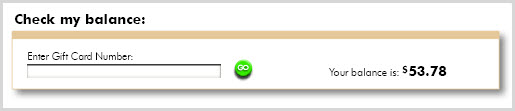
|
Step |
Action |
|
1 |
Create plug-in tag:
|
|
2 |
Create page template to show the widget (or add it to an existing one, these instructions are for a fresh new page)
Enter the following template as content for the template:
|
|
3 |
Save the Template. |
|
4 |
Create a test card |
|
5 |
Publish or preview site. |
|
6 |
Browse to index/page/static/subpage/value_card_lookup |
|
7 |
Test that plug-in returns the remaining balance or an appropriate error response. |
© 2023 CORESense · info@coresense.com · 125 High Rock Avenue, Saratoga Springs, NY 12866