
The Sales Channel Manager lists all of your active sales channels and identifies which brands are associated with each channel and the corresponding location hierarchy. Use the Sales Channel manager to maintain the following information:
Sales Channel Labels
System display icon images
Brand assignment
Location Hierarchy
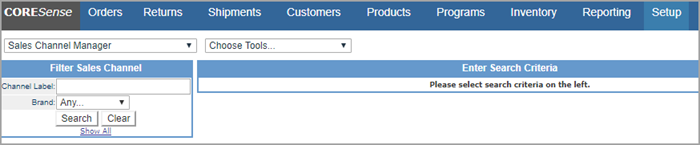
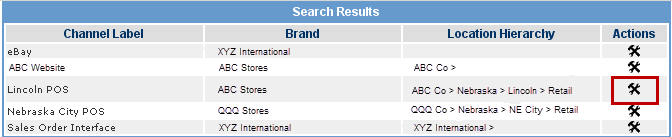
In the Sales Channel Manager, you can search on either a channel's label or by brand association. From the Search Results list, click on the  icon to update a channel's details.

Note: Sales Channel setups are initiated during implementation. If you want to add another channel, contact CORESense Support Services.
Follow the steps below to update your sales channel information.
|
Step |
Action |
|
1 |
Click on the
|
|
2 |
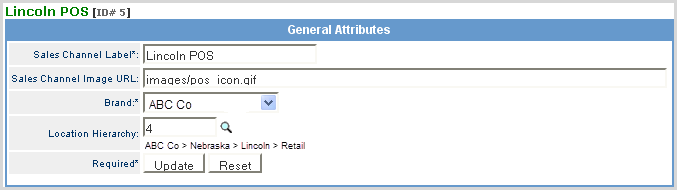
Update the fields provided as described below.
Sales Channel Label - The name of the channel. Sales Channel Image URL - The directory path of image to be displayed within the Back Office that represents the channel. CORESense provides defaults. Brand - The brand associated with that channel. Status - Active or Inactive Location Hierarchy - Use the Note: Location Hierarchy is set up using the Location Hierarchy Setup in System Settings. |
|
3 |
Click Update to save changes. Click to Reset to startover. |
When a channel is set to Inactive, it will be removed from the following managers:
It will still appear in orders, returns and reports.
© 2023 CORESense · info@coresense.com · 125 High Rock Avenue, Saratoga Springs, NY 12866
 icon to search for the appropriate hierarchy level.