Users have the ability to create, save, delete and view customer quotes on Connect POS.
|
Step |
Action |
|
1 |
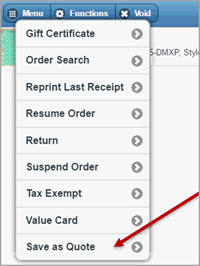
Once a customer has been assigned to an order and product has been added to the cart, under the Functions menu, select Save as Quote. The order is saved to the customer's account history specific to the POS terminal in which it was created.
NOTE: If a payment has been against the order, it cannot be saved as a quote. |
|
2 |
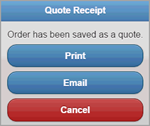
Quotes can be printed or emailed for the customer. Cancel will close the receipt option box. Once an option has been selected the order will be removed from the POS screen.
|
|
3 |
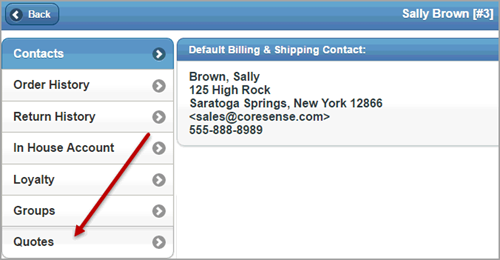
Quotes can be retrieved from the customer's account history under Quotes, and either applied as a new order or deleted.
NOTE: Quotes are only stored on the Connect POS Account history. Quotes are not accessible from the Back Office or SOI if originated from the POS. |
© 2023 CORESense · info@coresense.com · 125 High Rock Avenue, Saratoga Springs, NY 12866